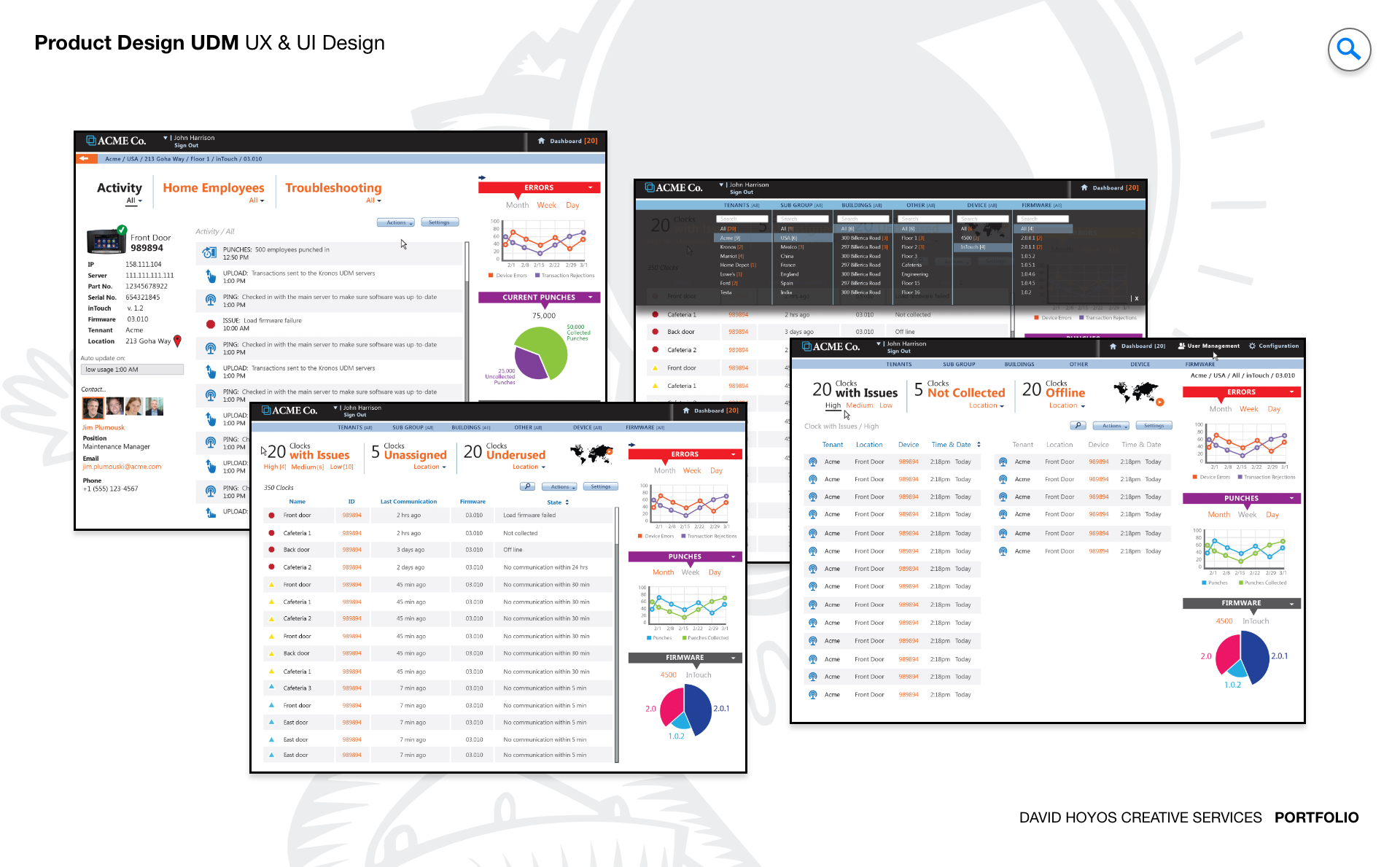
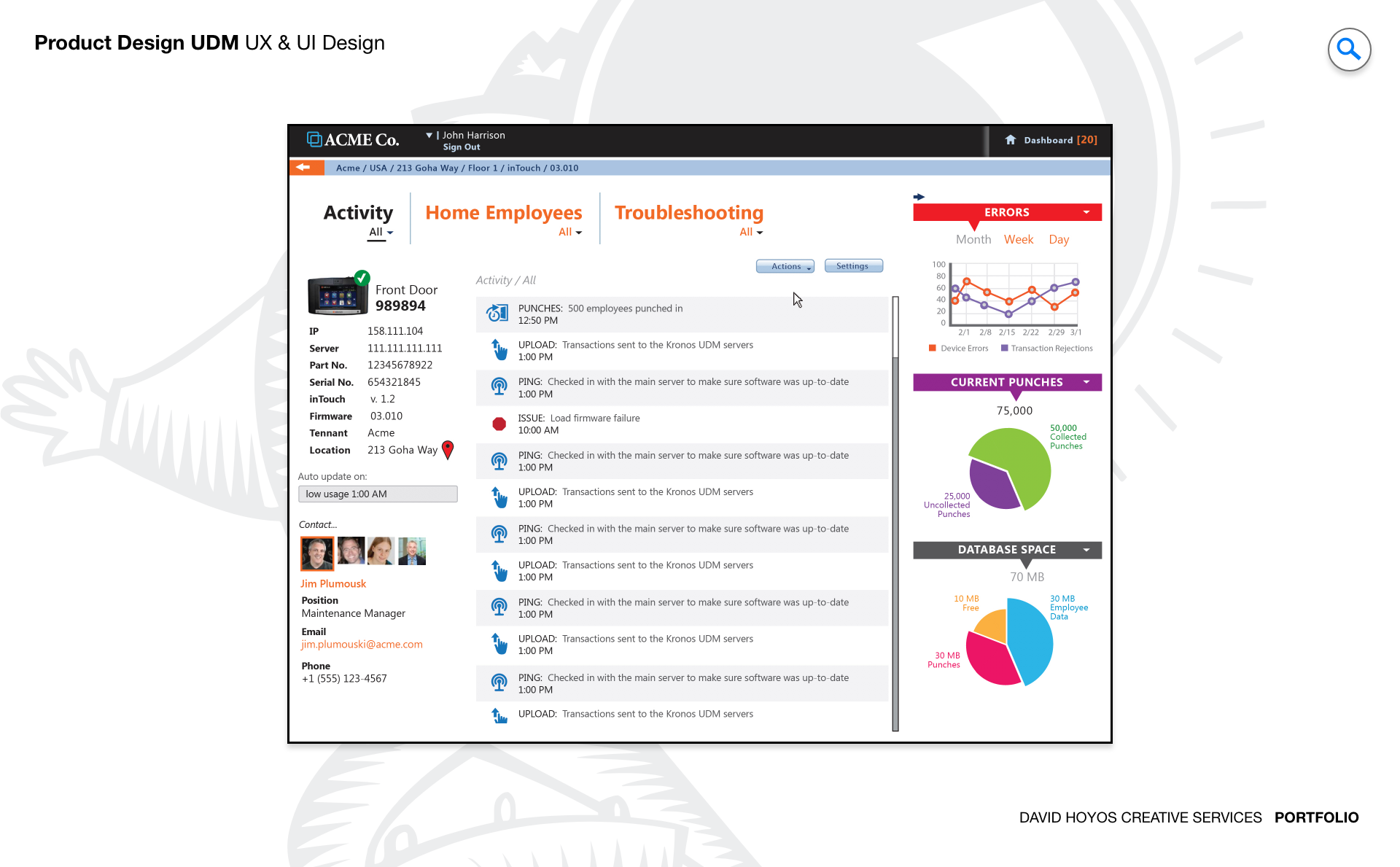
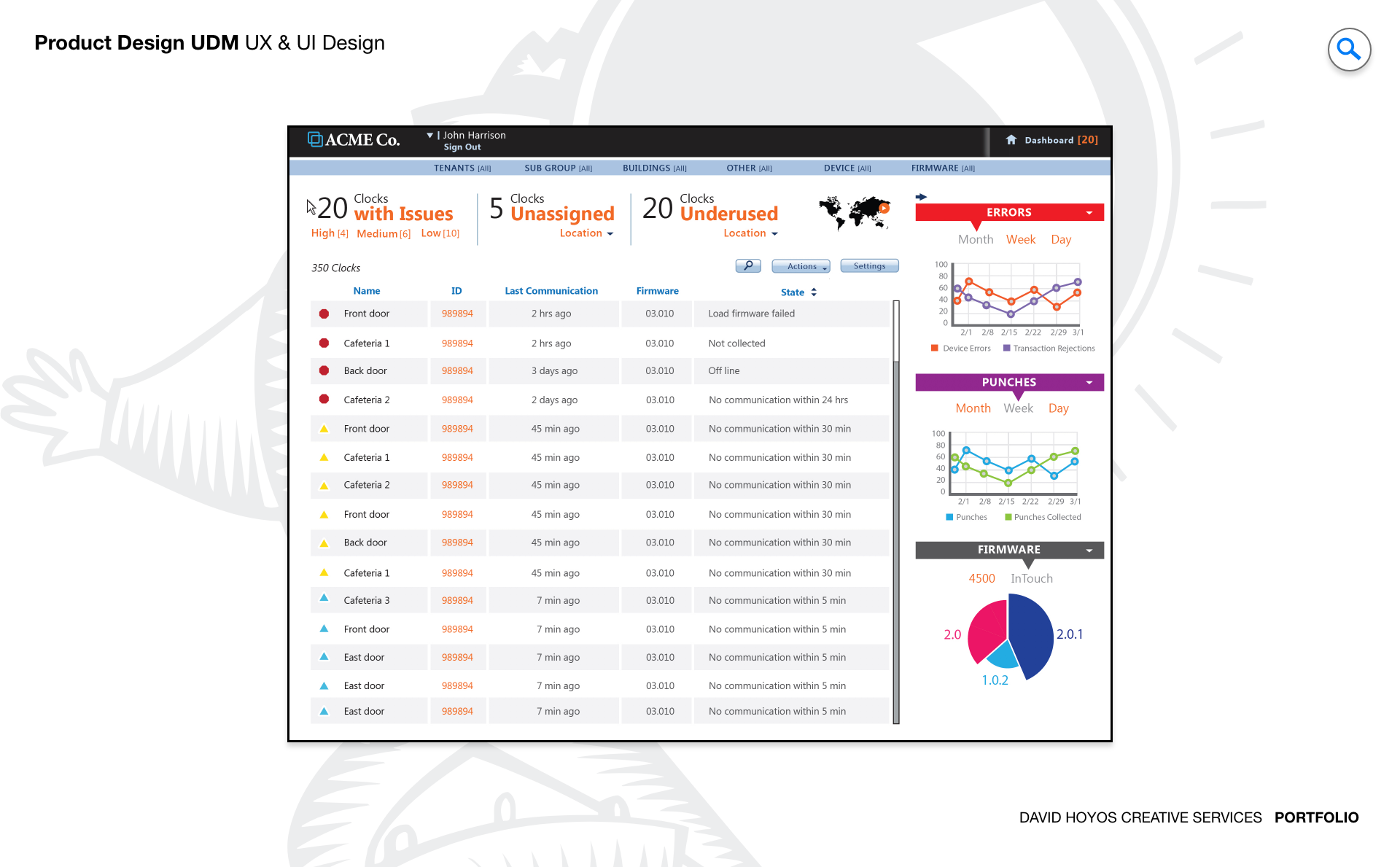
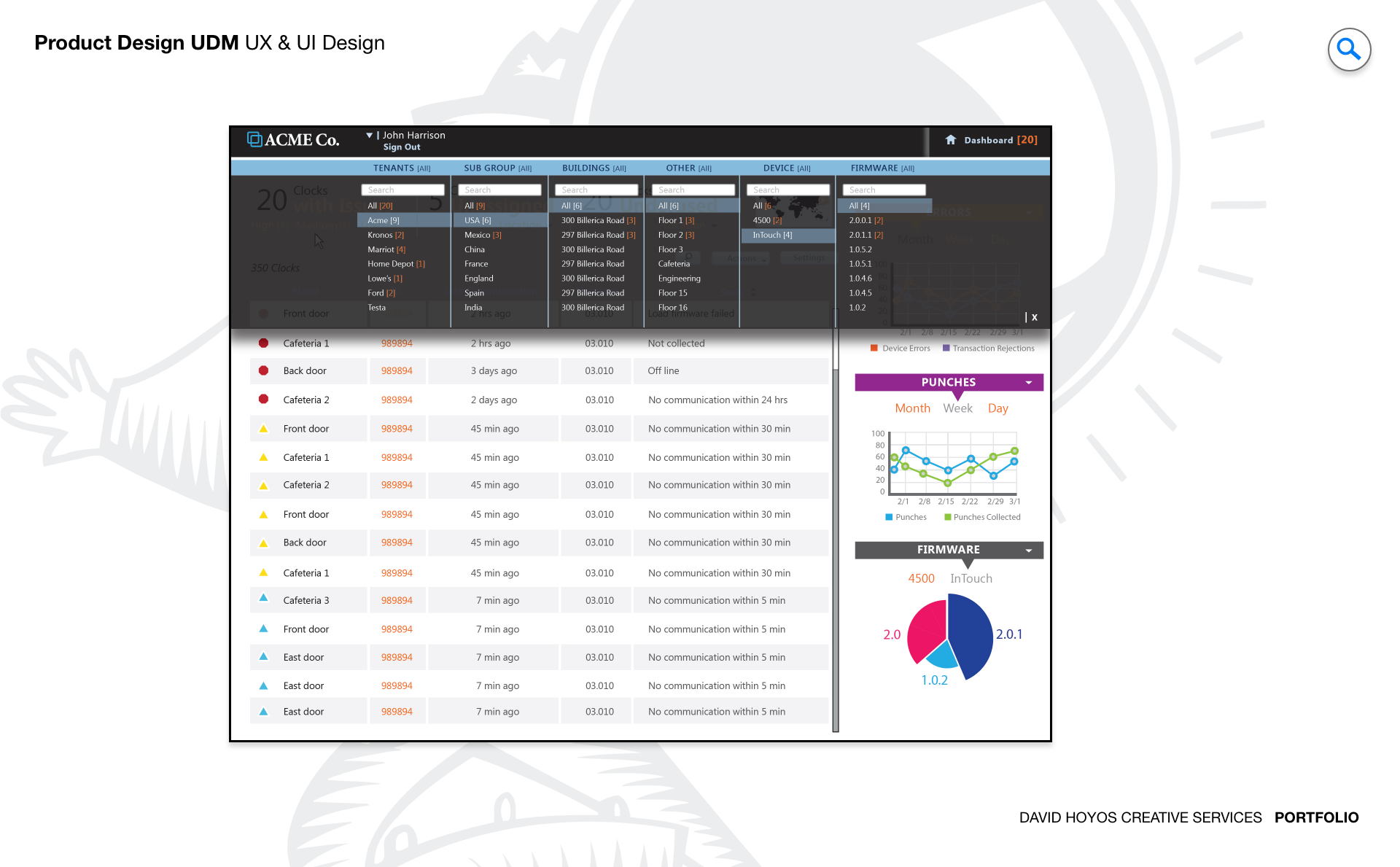
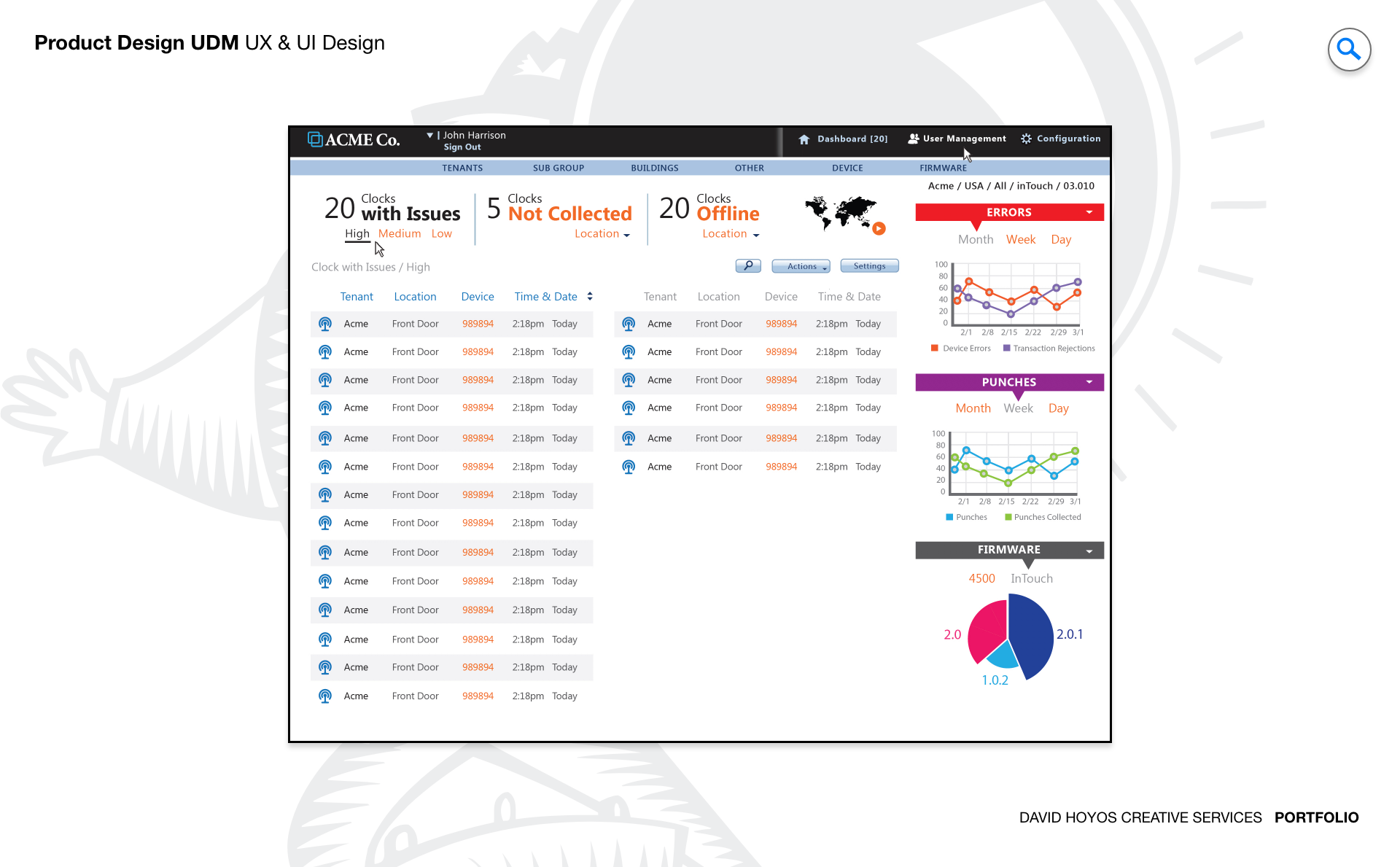
PROJECT Universal Device Manager Web App (UDM). Every time an hourly employee clocks in or out, a physical device records that event. When that device goes offline, loses its network configuration, or ships with outdated firmware, the data it was supposed to capture either disappears or becomes unreliable, and someone has to go to the location physically to fix it. For organizations managing hundreds or thousands of inTouch clocks across multiple sites, the operational cost of that physical dependency is significant. The Universal Device Manager was designed to eliminate it by giving system administrators a centralized web application for remotely controlling, configuring, and troubleshooting their entire device fleet from a single interface. The design challenge was not just making remote device management possible but making it manageable at scale. An administrator responsible for devices spread across dozens of locations needs to understand the health of the full fleet at a glance, act on problems without losing their place in the broader picture, and execute complex operations like firmware updates and network reconfigurations with the confidence that comes from a well designed tool rather than the anxiety that comes from a poorly documented one. OBJECTIVE The objective was to design a platform that reduced the dependency on on-site intervention by making every remote operation an administrator needed to perform accessible, safe, and fast. Setup, maintenance, diagnostics, and troubleshooting are all workflows that have traditionally required physical presence at the device location. Each physical visit carries a labor cost, a travel cost, and an elapsed time during which the device is either offline or operating incorrectly. The UDM was designed to compress those visits to the cases where remote resolution genuinely was not possible, which for a well designed platform should represent a small fraction of the total support burden. Beyond operational efficiency, the objective was confidence. System administrators working with critical infrastructure have a different relationship with their tools than other enterprise users. They need to trust that the interface accurately reflects the real state of the devices it represents, that actions they take will produce the outcomes they expect, and that the system will tell them clearly when something goes wrong and what to do about it. Designing for that level of trust meant treating status accuracy, action feedback, and error communication as first class design requirements rather than implementation details. The platform also had to scale gracefully. An organization managing ten devices and one managing ten thousand both needed the UDM to work well for them, which required an information architecture and interaction model that held up under very different volumes of devices, locations, and concurrent administrative tasks. CHALLENGE Device management at scale creates a fleet visibility problem that has no simple solution. An administrator responsible for thousands of inTouch clocks across dozens of locations cannot hold the state of every device in their head, and a list of devices with status indicators tells them what is happening but not where to focus or in what order to act. The design had to make the health of the full fleet immediately readable at a summary level while making it equally fast to drill into a specific device or location when a problem required investigation. Getting that hierarchy right was the foundational design problem, because every other workflow in the application depended on the administrator being able to orient themselves quickly and stay oriented as they moved through it. Risk and irreversibility introduced a second dimension of complexity. Device management operations are not uniformly safe to perform. Pushing a firmware update to a single device carries different risk than pushing it to an entire location's fleet simultaneously. A network reconfiguration that uses an incorrect parameter can take a device offline in a way that cannot be corrected remotely. These are operations where an extra confirmation step or a clear preview of affected devices is not friction but protection, and the design had to build that protection into the workflows without making every action feel burdened by warning dialogs that administrators would learn to dismiss without reading. The challenge was making the right level of caution feel natural rather than bureaucratic. Real time device health added a third layer. A device management interface that shows stale status information is worse than one that shows no status at all, because it creates false confidence. The design had to surface data freshness transparently, communicate clearly when a device's reported state might not reflect its current condition, and handle the visual states associated with devices that were unreachable, updating, or in an error condition in a way that guided the administrator toward resolution rather than leaving them to interpret ambiguous indicators on their own. PERSONA(S) System admin. The system administrator is the most technically fluent persona across the product suite, and designing for them requires a different calibration than designing for managers or hourly employees. They do not need the interface to protect them from complexity. They need it to expose complexity accurately and give them the controls to work with it efficiently. An interface that hides technical detail to appear simple is not helpful to a system admin. It is an obstacle, because the information they need to diagnose a problem or validate a configuration decision is precisely the detail that a simplified view omits. At the same time, system administrators are not infallible, and the consequences of errors in device management are disproportionately severe compared to errors in most other enterprise applications. The design had to balance the administrator's need for direct access to the full technical surface of the product with the product's responsibility to make catastrophic mistakes difficult to make accidentally. That balance, between capability and guardrails, was the central design tension for this persona, and getting it wrong in either direction would have made the platform either too restrictive to be useful or too permissive to be safe. INDUSTRY Retail, manufacturing, healthcare and hospitality. The inTouch clock is a piece of operational infrastructure in all four industries, and the consequences of device failure vary in severity but not in type across them. In retail, a clock that goes offline during a peak shift creates a timekeeping gap that requires manual correction and creates compliance exposure. In manufacturing, device failures intersect with shift accountability records and safety staffing documentation in ways that can have regulatory implications. In healthcare, timekeeping accuracy connects to patient care staffing ratios and labor law compliance, where gaps in the record are not just administrative problems. In hospitality, high staff turnover and variable shift patterns mean the device fleet is used intensively and devices that fail during busy periods create an immediate operational burden. Across all four, the value of remote management is proportional to the cost of the alternative, and in each industry that cost is real and recurring. PROCESS Assessment + Exploration + Design - Production + Deployment Assessment began with the support workflows that the UDM was designed to replace. That meant shadowing system administrators through the process of diagnosing and resolving device issues, documenting every step that currently required physical presence, and identifying which of those steps had a viable remote equivalent and which ones were genuinely constrained by hardware access. The assessment phase also surfaced the information administrators needed at each point in those workflows, which became the basis for the data model and the navigation structure that organized the application. Exploration tested how the fleet management view could be structured to make device health legible at scale without requiring administrators to navigate through layers of hierarchy to reach the information they needed most. Design resolved those structural decisions into wireframes and high-fidelity screens covering the full range of device management workflows, from the fleet overview through individual device configuration and bulk operation management. Production support remained active through implementation given the technical complexity of the real time status layer and the risk management interactions that required close design involvement to ensure they translated accurately from specification to built product. DELIVERABLES Wires, High-Fidelities, BuildKit (specs). Wireframes established the fleet management architecture and the interaction logic for device operations before visual decisions entered the picture. The most important structural work at this stage was defining how the administrator moved between the fleet-level view and individual device management without losing context, how bulk operations were scoped and confirmed, and how the system communicated the status of operations in progress across a fleet that could be updating asynchronously. These decisions were foundational to the experience and needed to be resolved before the visual layer could be meaningful. High fidelities translated the wireframe logic into a finished interface built for technical users who value density and precision over visual simplicity. The design work covered every device state the administrator would encounter healthy, offline, updating, error, unreachable, and pending configuration, each with a clearly differentiated visual treatment. BuildKit provided engineering with the complete specification for the status display logic, the bulk operation confirmation flows, the real time update behavior, and the component level documentation for every interactive element, giving the development team a precise reference for an application where implementation ambiguity had direct consequences for operational reliability. TEAM UX + UI + Research + Front-end Developer + Software Architect + PM Device management sits closer to the infrastructure layer of the product than any other design domain in the suite, and the team had to maintain close alignment between design decisions and technical reality throughout the project. UX led the information architecture and the interaction design for the fleet management and device operation workflows, with particular attention to the risk management patterns that governed bulk and high impact operations. UI executed the visual design for a technically demanding interface where the density of device status information required a visual hierarchy capable of communicating a lot with very little space. Research involved system administrators directly in the design process, both to validate the workflow structure against how they actually operated and to calibrate the risk guardrails at the right level of friction. Too much confirmation and experienced administrators route around the safety patterns. Too little and the product creates exposure to the kind of errors it was designed to prevent. The Software Architect defined the real time data architecture that made fleet health monitoring reliable at scale, and the Front-End Developer worked closely with design through production to ensure that the complex interactive states of the device management interface were implemented with the precision the specification required. ROLE Design leadership and production support. The role combined design leadership with sustained production involvement, which on a product of this technical complexity was not a secondary function but a design necessity. Device management applications accumulate edge cases during implementation that were not fully visible at the design stage: unexpected device states, latency in status updates, error conditions that the specification described in principle but that required concrete design decisions when engineering encountered them in practice. Being present during production meant those decisions were made with design intent rather than defaulting to whatever was simplest to implement. At the design leadership level, the role meant establishing the principle that complexity in the underlying system was not a reason to oversimplify the interface, because the administrator persona needed access to that complexity to do their job. Holding that principle consistently while also building in the right level of risk protection for high consequence operations required a clear design philosophy that the team could apply to new decisions as they emerged throughout the build. Maintaining that clarity from the first wireframe through final deployment was the through line of the leadership contribution on this project.